
Okay, so you’ve turned off auto-receive and now only process (never check!) emails at scheduled times.
Q: What do you do with your emails when you do process them?
A: Deal with each new email in one of these ways: Action, Flag, File or Delete.
The ONLY 4 things you should do with new email
1. Action
Can you do what the email requires in a few minutes or less? Can you reply, forward, attach a file, make a note of information, find a file, change a document, etc? If so, do it straight away.
Then, if you need the email for reference, file it; if not, delete it. Same goes for any forwarded or sent fruits of your email tree.
Voila! The ‘instant action email’ (IAE) is satisfying – enjoy it.
2. Flag
Do you need more time or resources to action the email?
I have to stop here to say Do you really? Walking to the filing cabinet doesn’t count. Don’t use this option as a way to procrastinate on tasks you can do quickly – think of it as a last resort. You want as many IAEs as possible.
If it’s a genuine flagger, schedule it. Some scheduling options include:
- Put the task it in your schedule for the date (and time, if appropriate) when you’ll do it
- Flag it – in Outlook you can add a dated flag which puts the email into your task list for the flagged date
- Move it to a To Do folder that you action regularly.
In this way, emails for later action are placed where they’ll tickle you at the right time, and removed from your inbox.
3. File
If no action is needed but you think you may need the email for reference, file* it. We’re getting that inbox closer to zero!
3. Delete
If no action is needed and you don’t need the email, delete it. Another satisfying inbox action!
The email dilemma: To keep or not to keep?
There are two schools of thought on this debate. One school says: Storage is cheap, search is fast, keep everything. I belong to the other school, which says: If in doubt chuck it out; keep nothing unnecessary; minimize your personal footprint – on and offline.
Decide what sits best with you.
The empty inbox
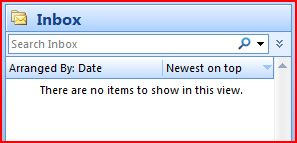
By turning off auto-receive, downloading emails only when you’re ready to process them, and sticking to the 4 options above for email processing, you’ll find yourself with the holy grail of modern life: an empty inbox. Ahhh…
*I’ll cover email fling systems in a later post
Want more strategies for managing email overload?
Learn about Inbox Zen | 7 Simple Steps For Making Peace With Your Email.
Image by tomeppy

I incoming newsletters and informational emails autofiled into specific folders, and look at them when I have time. This keeps my inbox from being clogged up with unimportant emails.
Hi Suzie,
I use Outlook – mainly because I can so easily integrate mail, calendar, tasks and contacts.
For example, I like being able to drag an email to my task list or calendar.
M 🙂
Hi Suzie,
I use Outlook – mainly because I can so easily integrate mail, calendar, tasks and contacts.
For example, I like being able to drag an email to my task list or calendar.
M 🙂
Great advice- I see that this would stop my use of gmail on the web- interesting.
I love the simplicity of this- what email system do you use?
Great advice- I see that this would stop my use of gmail on the web- interesting.
I love the simplicity of this- what email system do you use?
Awesome! Thank you! I’ve implemented a flagging system, but it’s waaay too complex and needs too much thought when processing email. Yours is nice and simple. I like it. 😀
Awesome! Thank you! I’ve implemented a flagging system, but it’s waaay too complex and needs too much thought when processing email. Yours is nice and simple. I like it. 😀
I have a small piece of paper on my monitor which lists the 4 D’s of emails. They are Ditch, Deal, Delegate and Decide. They are there for me to see and DO, but unfortunately I do not do this as I should!!
I have a small piece of paper on my monitor which lists the 4 D’s of emails. They are Ditch, Deal, Delegate and Decide. They are there for me to see and DO, but unfortunately I do not do this as I should!!
Pingback: Organizing Technology: How to never, ever check your email again : Get Organized Wizard