
Note:
Please see the updated version of this post, reflecting recent Facebook changes.
——–
Last week I tweeted about how good it felt to finally get my Facebook friends into lists, and to be able to view my news feed by these lists.
For instance, if I just want to see what my business, gym or Sydney friends are up to, I can do that.
A bunch of people asked me how to do this, so here you go…
How to Create a List of Friends
- From your Home page, select Friends from the left-hand side menu.
- Click the [+Create a List] button at the top of the page.
--> A dialog box will appear and will populate with all your friends.
If you have heaps of friends, this may take a little while. - Enter a name for your list, eg Personal Friends, Work Colleagues, Family, Business Associates, whatev.
- Click on each person you want in the list.
--> A blue box and tick will appear for the selected people.
Click the person again to de-select them. - When you’ve selected your list members, click the [Create List] button.
And you’re done!
Repeat these steps for each list you want to create.
How to Limit Your News Feed to the Friends in a List
- From your Home page, select Friends from the left-hand side menu.
--> Now a sub-menu of the lists you’ve created will appear. - Click a list you want.
--> Your news feed will only show for the people in that list.
Pretty cool, huh? And so organized!
PS Wanna Be Friends?
Unfortunately, I’m out of Facebook friend spots on my personal profile (5,000 is the max).
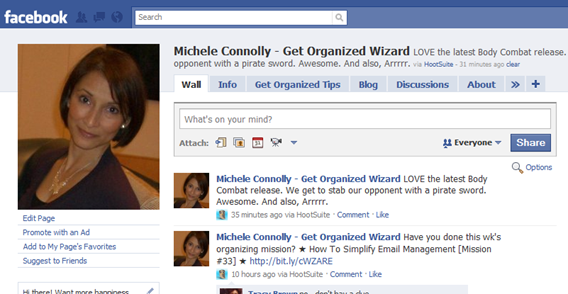
But I’d love to connect with you via my Get Organized Wizard page. Come and join me!
| Please be sure to click the [Become a Fan] button to connect us. —-> |  |

Really helpful. thanks
RT @MicheleConnolly: People have been asking me about streamlining your friends & news feed in Facebook. Here's how: http://bit.ly/c4Sn9c
RT @MicheleConnolly: People have been asking me about streamlining your friends & news feed in Facebook. Here's how: http://bit.ly/c4Sn9c
RT @MicheleConnolly: A little organizing tip for social networkers: How To Organize Your Facebook Friends http://bit.ly/9m7yOW
I was going to write a post like this, but Michele did such a good job! How To Organize Your Facebook Friends http://bit.ly/bY6xp5
RT @micheleconnolly: A little organizing tip for social networkers: How To Organize Your Facebook Friends http://bit.ly/9m7yOW
RT @micheleconnolly: A little organizing tip for social networkers: How To Organize Your Facebook Friends http://bit.ly/9m7yOW
Get Organized Blog | How To Organize Your Facebook Friends: Last week I tweeted about how good it felt to finally … http://bit.ly/9m7yOW